
BatchRx is audit software for pharmacies. A report is built from files: the dispensing data you export from your pharmacy management system (PMS), and the purchase statements your wholesalers provide. BatchRx reads both and sets them side by side, NDC by NDC.
The steps below go from a new account to a first report. If you would rather see it first, request a demo.
From a new account to your first report
Create your pharmacy account
Register with your pharmacy’s NPI. BatchRx fills in the pharmacy details the national registry has on file, and you add the name, email and password of the administrator. A verification link is emailed to you; it is valid for 24 hours.
Choose your plan
After you verify your email, log in and choose your plan. Card details are entered on a secure checkout page run by Stripe, so BatchRx never sees your full card number.
Complete onboarding
Confirm your contact details, then read and sign two agreements: a Non-Disclosure Agreement, under which your billing and purchase data is kept confidential, and a Wholesaler Release Agreement, which lets BatchRx request purchase statements from your wholesalers on your behalf. Then add at least one wholesaler and your pharmacy management system.
Start an audit
Pick the report you want (Inventory, Aberrant or Controlled Substance) or open an Investigative audit, give it a name and select the dates it covers. An inventory report has two date ranges: the billed dates of your dispensing data and the wholesaler dates of your purchases.
Upload your dispensing data
Export the dispensing report from your PMS as a CSV or Excel file and upload it. On the next screen you match the file’s columns to the fields BatchRx needs, such as the NDC, Rx number, fill date, drug name, quantity, primary insurance BIN and amount paid. BatchRx suggests the matches.
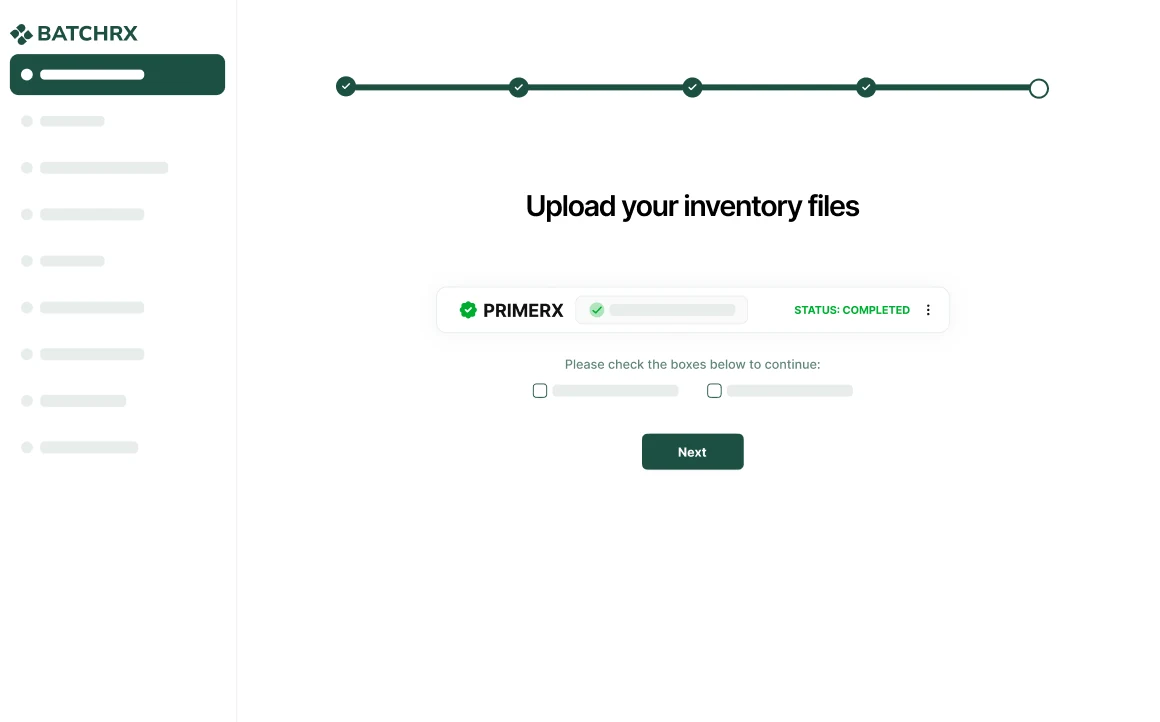
The dispensing file, uploaded and processed. Upload your wholesaler files
Upload the purchase statement from each wholesaler: a CSV or Excel file with the NDC, invoice date, item description and quantity of every purchase. If a wholesaler has not sent one yet, the app gives you a request email to copy and send.
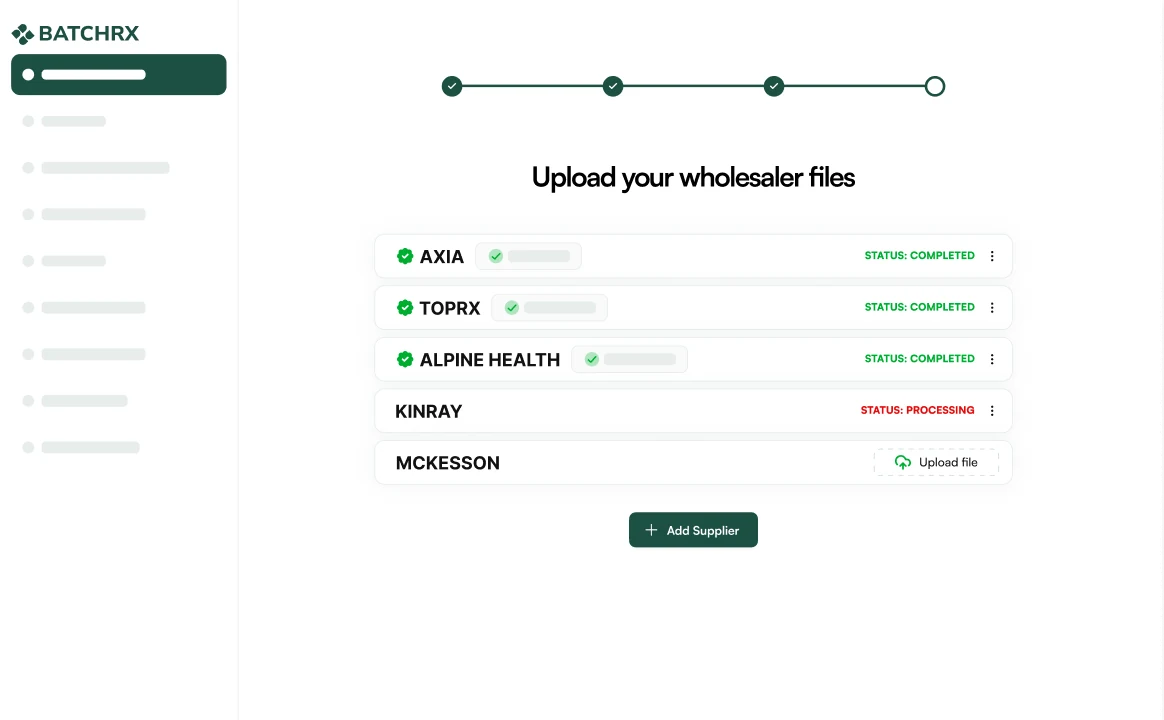
One purchase file per wholesaler, each with its own status. Open the report
Once the files are processed, open the report. It can take up to a minute to build, and larger audits can take longer.
What you need before you start
- Your pharmacy’s NPI, to create the account.
- An export of your dispensing data from your PMS for the period you want to audit.
- A purchase statement from each wholesaler for the same period.
Both kinds of file are uploaded as CSV or Excel. Download instructions for your pharmacy system and your wholesalers are inside the app, step by step.
Which report to start with
- The inventory report compares what you purchased with what you billed, for every NDC and every payer.
- The aberrant report shows what share of your claims and billed dollars are for products on a PBM’s aberrant list, one month at a time.
- The controlled substance report reconciles your scheduled drugs from a starting count to an ending count.
- An investigative audit is the workspace to use when a PBM has sent you an audit letter.
Help along the way
BatchRx provides one-on-one assistance with every audit. Inside the app you can open a support ticket, request a report or request a feature.
Getting started
Create your pharmacy account to begin, or request a demo to see BatchRx with your own questions in hand. Pricing is one plan with everything included.
Frequently asked questions
What files does BatchRx need to build a report?
Two kinds: the dispensing data exported from your pharmacy management system, and the purchase statements from your wholesalers. Both are uploaded as CSV or Excel files. A controlled substance report takes a starting inventory, an ending inventory and a dispensed file instead.
How long does a report take to build?
A report can take up to a minute to build once its files are processed. Larger audits can take longer.
What if a wholesaler has not sent a purchase statement?
The app gives you a ready-made request email that lists what the statement must contain: NDC number, invoice date, item description, quantity, unit price and total price. You copy it and send it to the wholesaler.