
An inventory report answers one question for every drug you dispense: did you buy as much as you billed? It is built from two sets of files that you upload, your dispensing data and your wholesaler purchase statements, over two date ranges that you choose.
What the report compares
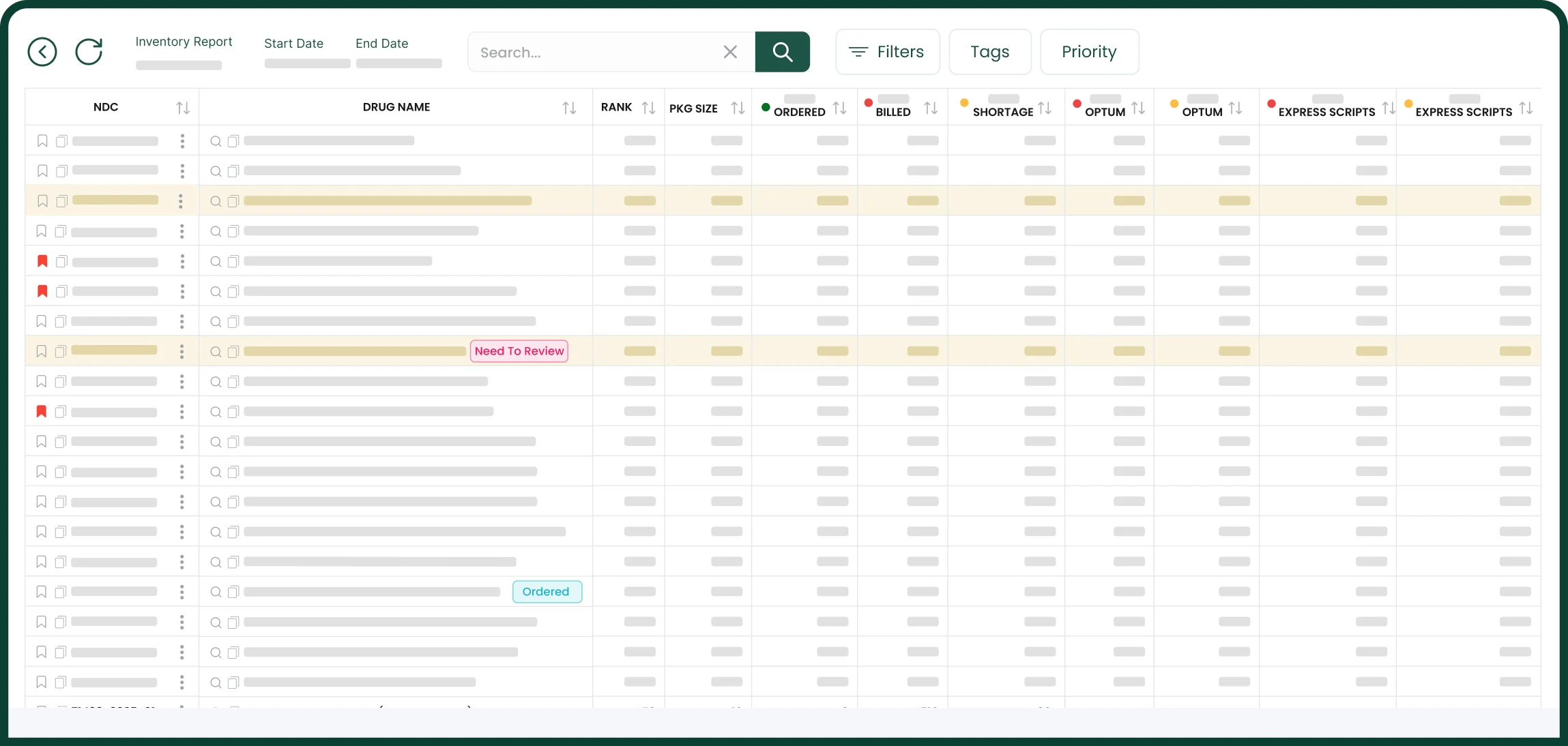
Each row is one NDC. The report shows the total ordered (what your wholesaler files say you purchased in the wholesaler dates), the total billed (what your dispensing data says was billed in the billed dates) and the difference between them.
- A shortage means more was billed than was purchased.
- A surplus means more was purchased than any insurance was billed for.
Open the total ordered to see the wholesaler invoice lines behind it, or the total billed to see every claim, with its Rx number, fill date, quantity, BIN, PCN, group and reimbursement.
Shortages, payer by payer
The report also works each NDC out for one payer at a time: the total ordered against what that payer alone was billed. The payer with the largest shortage is named on the row.
Open a shortage to see every payer behind it, most short first, with its billed quantity, its number of claims and its processor, PBM, network, BIN, PCN and group.
Swaps within the same GPI
When one NDC is short and another NDC with the same GPI has a surplus, the report offsets one against the other and shows the net shortage that is left. Each surplus is used once across the audit, and the largest shortages are offset first.
Shortages in dollars
Quantities can be read in units or in packages. Shortages are also shown in dollars: the quantity short multiplied by what the NDC was paid.
Package sizes
A wrong package size makes the shortage math wrong. The report flags every NDC whose package size in your pharmacy system does not match the reference and shows the size it suggests, so you can fix those first.
Several views of the same audit
- Audit review is a scorecard of the whole audit: total billed, the number of short NDCs, the net shortage in dollars, controlled NDCs and package size errors, with the ten largest net shortages listed.
- By NDC is the full list, one row per NDC.
- By GPI groups the same rows by GPI, each group with its own totals.
- Aberrant is the aberrant report for the same claims.
- Claims lists the audit’s dispensing claims, one row per fill, with the processor, PBM and network of each payer.
Narrow it down, then export
- Show only the short NDCs, or only shortages of $100, $500 or $1,000 and more.
- Flag controlled substances by schedule, aberrant products by PBM, and incorrect package sizes.
- Add your own tags, notes and priorities to an NDC.
- Add a purchase by hand when an invoice is missing from the files.
- Export the report to Excel or CSV, and the claims behind any number to CSV.
What you upload
An export of your dispensing data from your pharmacy management system and a purchase statement from each wholesaler, as CSV or Excel. How BatchRx works goes through it step by step.
Frequently asked questions
What is a shortage in an inventory report?
A shortage is an NDC for which more was billed than was purchased in the period of the audit. BatchRx shows it in total and for each payer, in units or packages and in dollars.
What does the report do with two NDCs of the same drug?
When one NDC is short and another NDC with the same GPI has a surplus, the report offsets one against the other and shows the net shortage that is left. Each surplus is used once across the audit, and the largest shortages are offset first.
Can I export an inventory report?
Yes. The report exports to Excel or CSV, and the claims and invoice lines behind a number export to CSV.
Which files does an inventory report need?
An export of your dispensing data from your pharmacy management system and a purchase statement from each wholesaler, uploaded as CSV or Excel files.